Instant preview
Click any sample and hear it immediately. Turn on Match and it plays pitched to your project's key and stretched to its tempo.
Sample Organizer turns thousands of unsorted one-shots and loops into a fast, searchable, tagged library — with instant preview, key & BPM detection, and drag-straight-to-a-track.
VST3 · AU · CLAP · Standalone
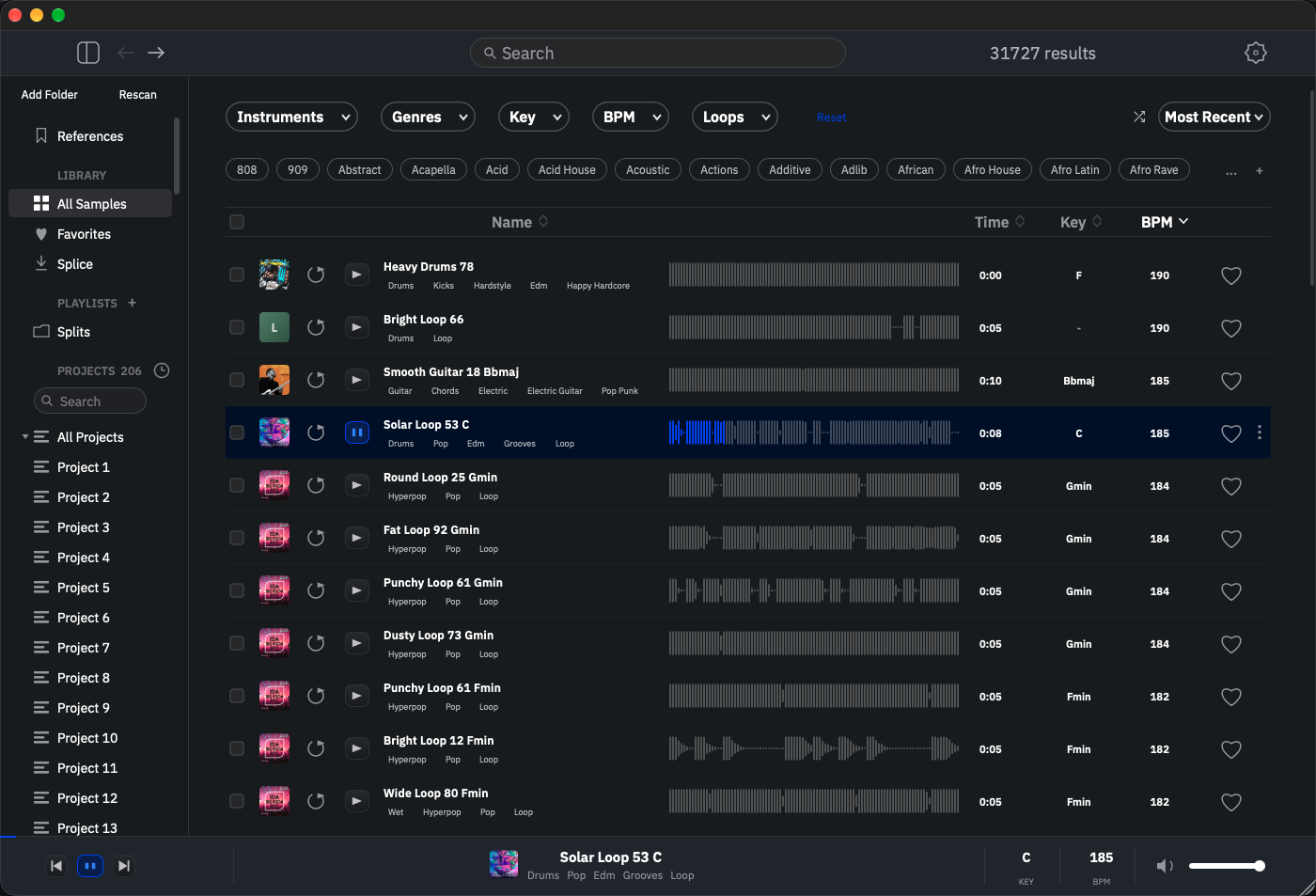
Click any sample and hear it immediately. Turn on Match and it plays pitched to your project's key and stretched to its tempo.
Every file is analyzed on import and tagged by instrument, genre, and character. Add your own keyword rules for the rest.
Root key and tempo detected from the audio itself — not scraped from the filename — and shown in sortable columns.
Each sample is sorted into hits or loops automatically. Filter to exactly what you're reaching for in one click.
Scans for out-of-phase stereo files that collapse in mono, highlights the whole row so they're impossible to miss, and lets you filter to just those.
Finds byte-identical and renamed copies across your whole library by content, then helps you clear them out.
"Find similar sounds" ranks the library by timbre. In a DAW, it can also suggest samples that fit the track you're on.
Drag straight onto a track. Convert format, sample rate and bit depth, trim to the first transient, or fit to the grid on the way out.
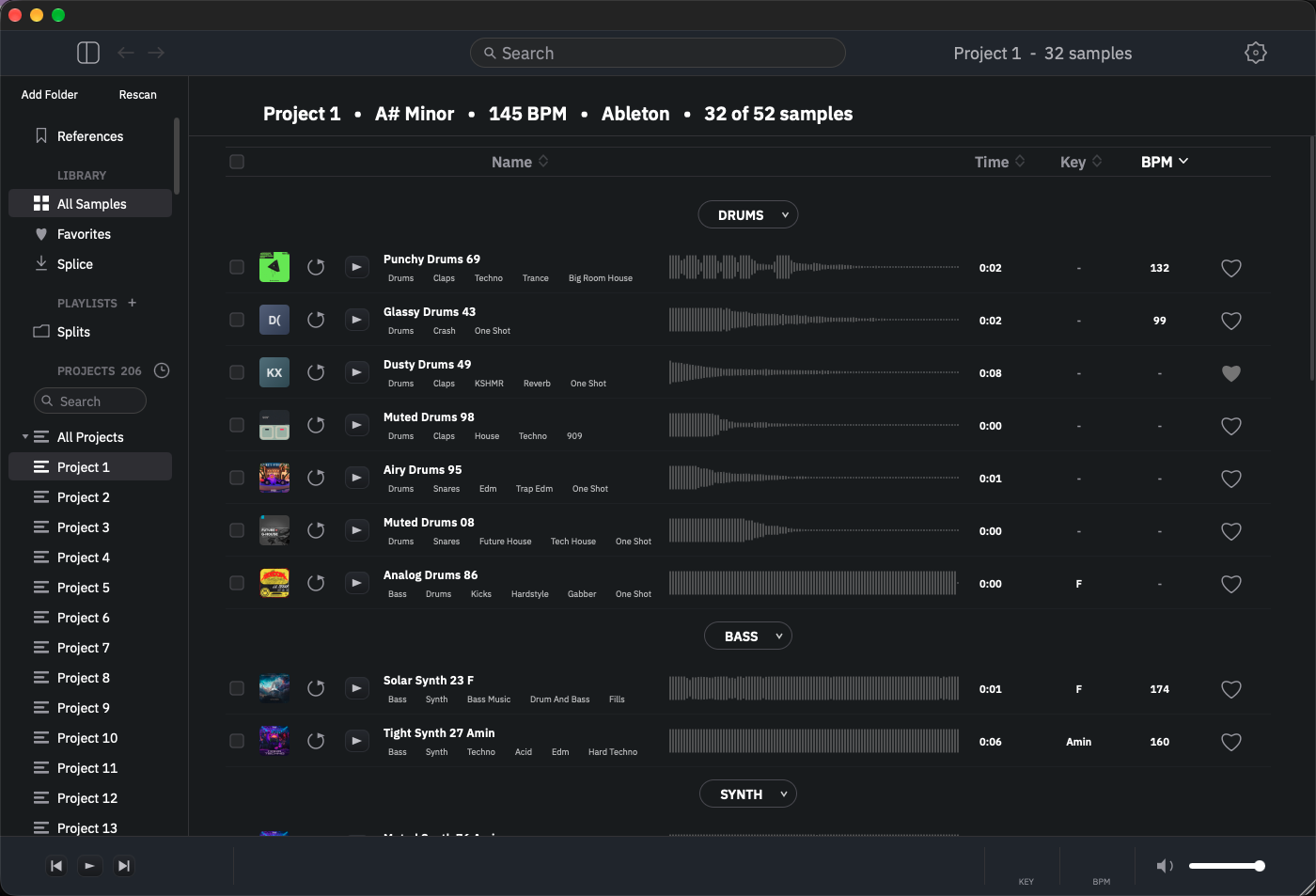
Point it at your DAW project files and see every sample each one used, grouped by instrument, with the project's key and tempo.
Group any samples into your own named pack with its own cover art, separate from playlists. Browse every pack in a visual grid, rename one any time, and drag a pack straight onto a playlist to add everything in it at once.
Drag in a folder tree and it mirrors itself as nested playlists, with every folder that holds samples becoming its own pack. Drag subfolders to nest them and move samples between packs.
Save any search and filter combination as a folder that stays live — new samples that match show up on their own.
Turn a melodic sample into a MIDI clip. MIDI files live in your library with a synth preview, and can be transposed to your project's key.
A floating mini player (Cmd+P) that remembers its size and position, plus a menu-bar dropdown at the top right of your screen: search your projects, open any in your DAW with a click, and audition samples without the full window up.
Rename a whole selection with fresh names matched to each sound — “Velvet Thump” for a kick, “Rusted Snap” for a snare. Never numbered, re-roll until it feels right, then apply.
Hide every real sample and project name behind neutral placeholders for screenshots and demo videos — without touching your library.
The short version is above. Here is everything, spelled out.
Free-text search plus five filters you can stack, and every tag on a row is a filter you can click. Search matches every word you type across name, tags, key and pack, and can be scoped to where you are.
Click a row and it plays. Turn on Match and it plays in your track.
A pinned References folder for the finished songs you mix and master against — kept apart from your sample library.
Your own named groupings of samples, with their own cover art — separate from playlists, and meant to be found by that art rather than browsed as a folder.
Drop a folder in and Sample Organizer rebuilds its structure for you.
Every scan runs automatically as samples come in, or on demand across the whole library — and Run All Scans chains Key/BPM, phase and tagging in one click.
Finds the stereo files that vanish when your master sums to mono.
One toggle runs tagging, key/BPM, one-shot/loop, phase and similarity quietly as samples come in, so the library is always ready to search.
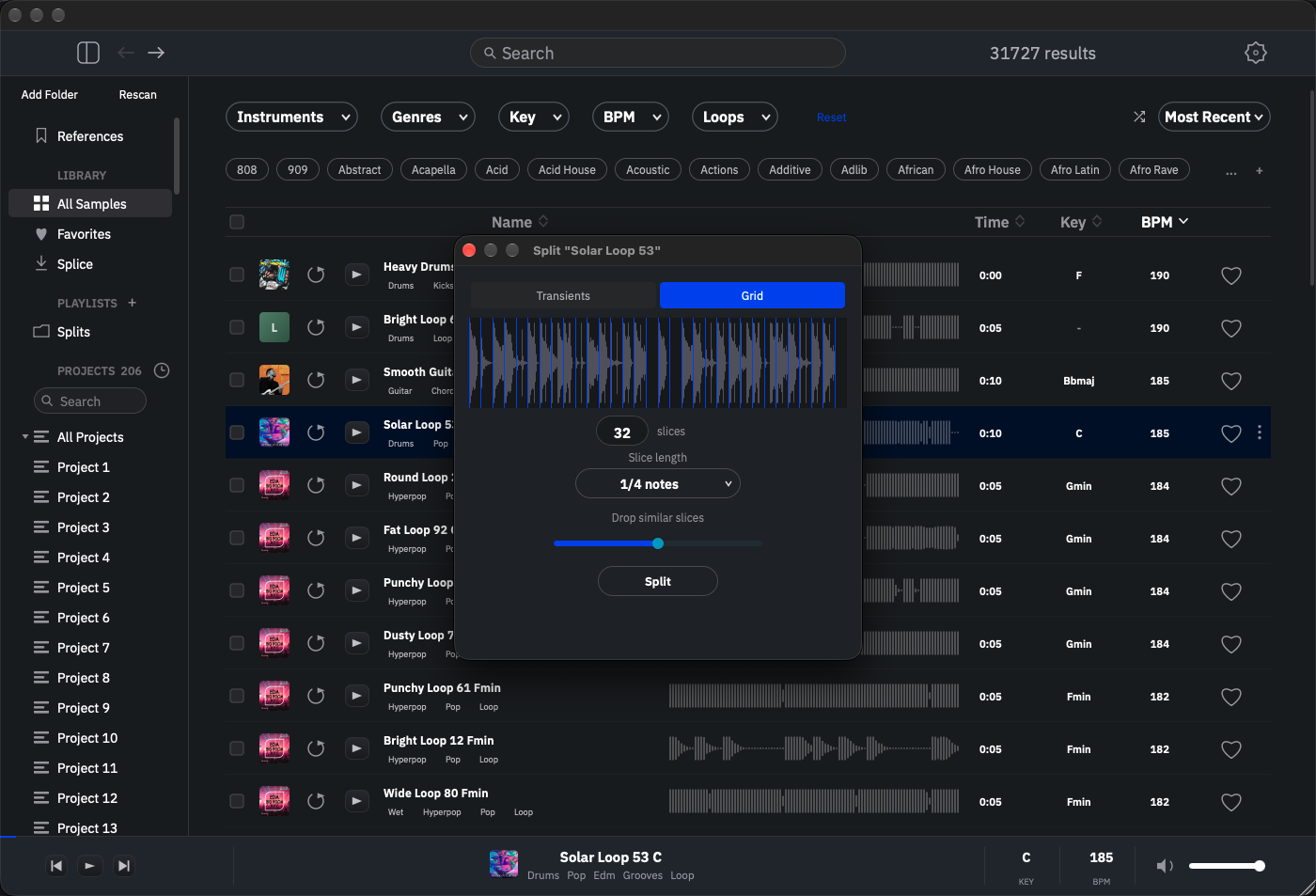
Open the split panel on one loop or a whole selection. A live waveform shows the slice markers, and they update as you tune — nothing is written until you hit Split.
Three ways to hand sounds to a collaborator, none of which need both of you online at the same time.
Select some samples (or a whole filtered view) and export a pack. You choose how heavy it is:
samples/ copy of every file.Drag any row straight onto a track. The export can be transformed as it leaves:
~/Music/Sample Organizer/Dragged/ by default, and you can change it — so your DAW never loses track of a dropped sample between sessions.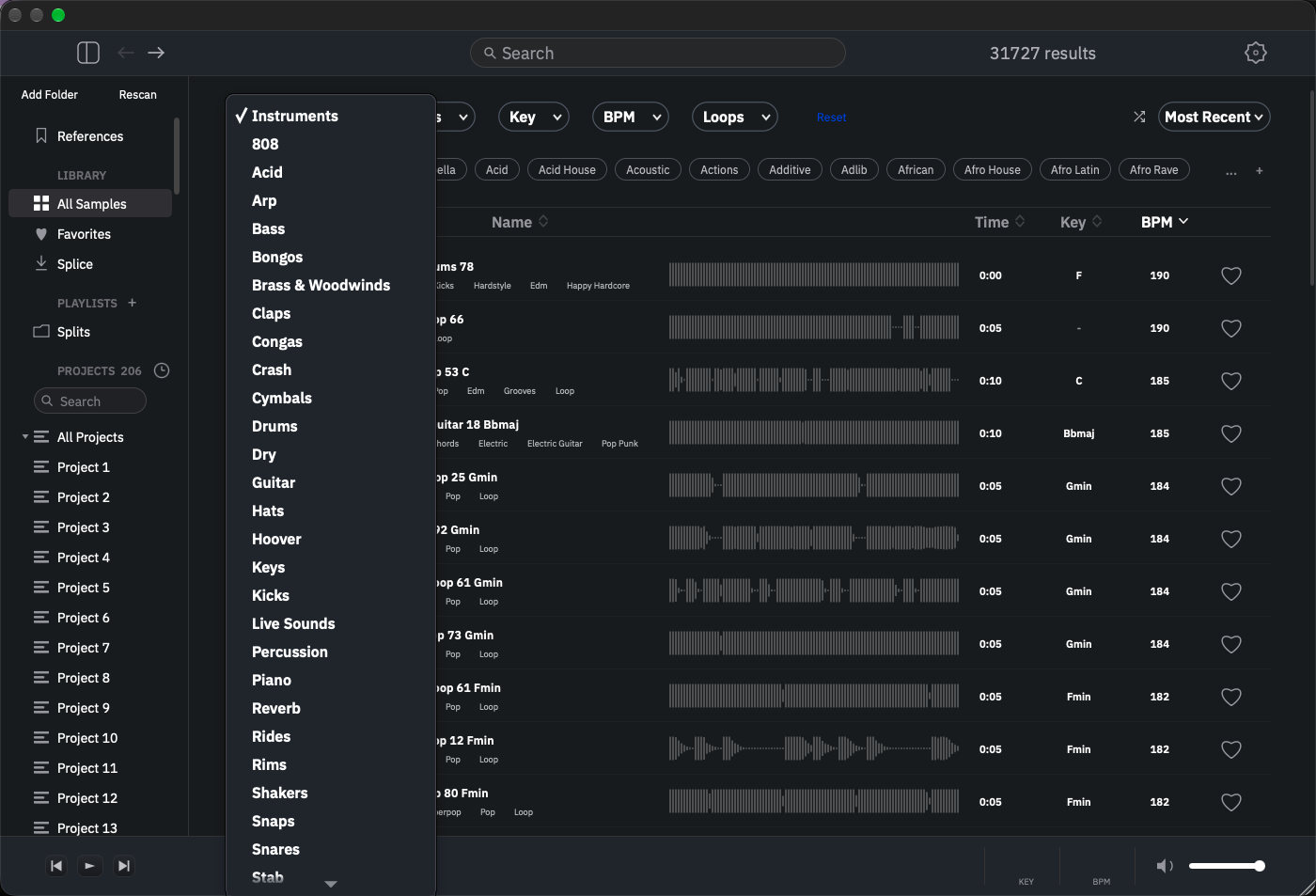
All four ship in every download. Load whichever your setup uses, or run the standalone app on its own — the library and settings are shared between them.
10.15 Catalina or later. One universal build — runs natively on Apple Silicon and Intel, no Rosetta.
Loads as VST3, AU and CLAP, plus the standalone app.
Windows 10 or later, 64-bit. The same build and the same sample engine as the Mac version.
Loads as VST3, CLAP and the standalone app. (Audio Units are a macOS format, so there's no AU on Windows.)
Any VST3 host — Ableton Live, FL Studio, Bitwig, Reaper, Studio One, Cubase. Audio Units in Logic Pro and GarageBand.
Built and tested against Ableton Live.
Secure checkout by Lemon Squeezy. Instant download and license key.
No. It's $9.99 once. Updates are included at no extra cost.
Any VST3 host — Ableton Live, FL Studio, Bitwig, Reaper, Studio One, Cubase and others. On macOS it also loads as an Audio Unit (Logic Pro, GarageBand) and as CLAP. There's a standalone app too, if you'd rather run it on its own.
Both. The macOS build is universal — native on Apple Silicon and Intel. The Windows build is 64-bit for Windows 10 and up.
No. It reads the folders you point it at and keeps its own tag database alongside them. Renaming or moving files is opt-in, and every change is undoable.
Three activations. You can deactivate one machine and activate another whenever you switch computers.
Only once, to activate your license key. After that it runs completely offline.
Yes. Email support@sampleorganizerapp.com and I'll get back to you.